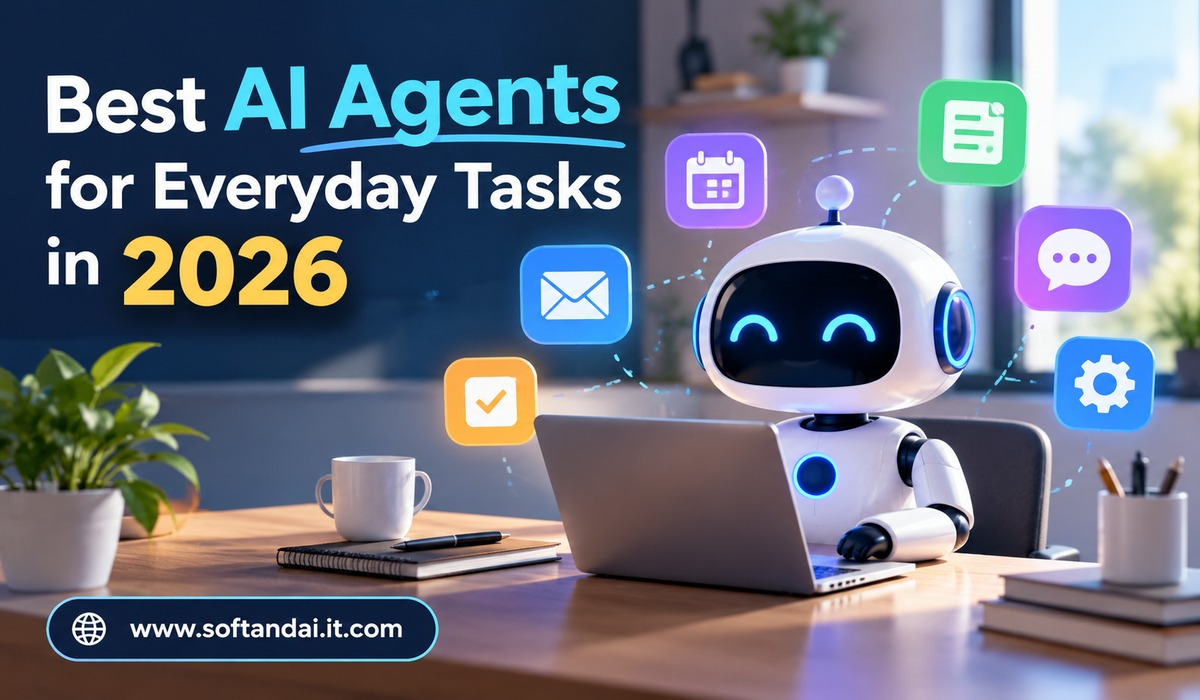
Artificial intelligence is becoming a regular part of everyday life. A few years ago, most people used AI tools mainly to ask questions, write content, or find information. Today, AI can do much more. It can help manage emails, organize schedules, research topics, prepare documents, handle simple online tasks, and support daily work with less manual effort.
This change has brought more attention to AI agents. Unlike basic AI chat tools, AI agents can work through tasks and take actions with less human guidance. They can understand what a person wants, decide what steps are needed, use connected tools, and complete different parts of a task.
In 2026, several AI agents are making everyday activities easier for students, office workers, business owners, freelancers, and regular internet users. Some focus on personal productivity, while others are designed for research, writing, coding, or managing work across different applications.
Choosing the right AI agent depends on what you want it to do. Some are better for handling daily office work, while others are more useful for planning, online research, or managing information. Understanding their features can help you choose a tool that saves time and makes everyday activities simpler.
What Are AI Agents?
AI agents are software tools that can understand instructions and perform tasks with some level of independence. They use artificial intelligence to understand requests, plan actions, and work toward a particular result.
For example, a basic AI chatbot can help you write an email when you provide the details. An AI agent may be able to prepare the email, find the correct information from connected sources, create a draft, and help you organize the next steps.
The main difference is that AI agents can do more than provide answers. They can also interact with other tools and services when permission is available.
Some AI agents can browse websites, work with documents, manage information, or use connected applications. Others can help users complete longer tasks that involve several steps.
However, AI agents are not completely independent in every situation. They can misunderstand instructions, make mistakes, or require approval before taking important actions. Human checking remains important, especially when handling personal information, money, or business decisions.
Best AI Agents for Everyday Tasks in 2026
1. ChatGPT – A Helpful AI Agent for Multiple Tasks
Best for everyday assistance, writing, research, and completing different types of work
ChatGPT is one of the most useful AI tools for people who want help with different everyday activities. It can support writing, learning, planning, research, problem-solving, and document creation.
With ChatGPT Work, users can also hand over longer tasks that involve several steps. It can work with files, research information, use supported connected applications, and prepare finished work. Its cloud browser can also help with supported website activities.
For example, a small business owner can use ChatGPT to research a new product idea, prepare a business report, organize information, and create a marketing plan. A student can use it to understand difficult subjects, prepare study notes, and organize a learning schedule.
Another useful feature is its ability to understand normal language. Users do not need special technical knowledge to explain what they want. They can describe a task in simple words and guide the AI as it works.
ChatGPT is a strong choice for people who want one AI assistant for different activities instead of using separate tools for every small task. However, users should review important results before sharing or using them.
2. Google Gemini – Useful for Daily Personal and Office Work
Best for Gmail, Google Docs, Calendar, Drive, and everyday productivity
Google Gemini is another popular option for people who regularly use Google services. It can help with writing, research, information gathering, learning, and organizing daily work.
One of its biggest advantages is its connection with the Google ecosystem. Depending on the account, plan, and available features, Gemini can work with services such as Gmail, Google Drive, Docs, Sheets, Slides, and Calendar.
Imagine that you receive several emails about an upcoming project. Instead of reading every message separately, you can ask Gemini to summarize the important information and identify the main tasks. You can also use it to prepare a meeting agenda, improve a document, or organize information for a presentation.
Google introduced more advanced agent features in 2026, including its Gemini agent for workplace tasks. These features are designed to understand larger goals, use connected tools, and complete work across different applications. Availability depends on the product and account being used.
Gemini is particularly useful for people who already depend on Google’s applications for personal and professional activities. It can reduce the time spent moving information between different tools.
3. Microsoft Copilot – A Useful Assistant for Office Tasks
Best for office workers, business owners, and Microsoft 365 users
Microsoft Copilot is designed to help people work more efficiently with Microsoft’s software and services. It is especially useful for people who spend much of their day using Word, Excel, PowerPoint, Outlook, and Teams.
Copilot can help prepare documents, summarize long emails, create presentation content, and understand information inside spreadsheets. It can also help users find important details from work-related conversations and files when the required access is available.
For example, an employee who receives a long email conversation can ask Copilot to explain the main discussion and prepare a possible reply. Someone working with Excel can use it to understand data and create useful summaries.
Microsoft also provides specialized agents through its Copilot platform. Its Researcher agent can collect information from different sources and prepare a detailed report, while other agents can support specific workplace activities.
The main advantage of Microsoft Copilot is its connection with familiar office applications. People do not always need to move between different websites to complete their work.
It is a good option for professionals who want AI assistance while continuing to use their existing Microsoft tools.
4. Claude – Helpful for Writing, Research, and Detailed Work
Best for long documents, careful writing, coding, and complex projects
Claude is an AI assistant developed by Anthropic. It is known for helping users understand large amounts of information, write detailed content, and work through complicated tasks.
Claude can assist with emails, reports, business documents, explanations, and creative writing. It is also useful when someone needs to understand a long document or compare information from different files.
Its more advanced features in 2026 allow users to hand over longer tasks, work with files, use computer controls, and schedule certain activities. Claude can also help developers understand existing software and make changes to code.
For everyday use, consider a person who needs to prepare a detailed report from several documents. Claude can help review the information, identify important points, and turn the findings into a clear document.
It can also help freelancers prepare client proposals, improve website content, and organize project information.
Claude is worth considering when writing quality and detailed information handling are more important than having a large number of connected applications.
5. Zapier – Best for Connecting Different Applications
Best for automating repeated tasks across different online services
Zapier is a useful platform for people who want different applications to work together automatically.
Many people use several online tools every day. A business owner might use Gmail for emails, Google Sheets for records, Slack for communication, and a customer management platform for sales information. Moving details between these applications can take a lot of time.
Zapier helps connect these services and create automatic workflows. Its AI features make it possible to describe a process in normal language and build workflows that can perform different actions.
For example, when a customer submits a contact form, an automated process can save the details in a spreadsheet, notify the business owner, and create a follow-up task. Similar workflows can help with customer enquiries, content planning, and office administration.
Zapier supports thousands of application connections and provides approval steps for workflows that need human checking.
It is particularly helpful for small businesses and freelancers who want to reduce repeated manual work. However, setting up the right connections and permissions is important.
6. Lindy – A Personal Assistant for Workplace Activities
Best for email management, meeting schedules, and routine office activities
Lindy is designed to help people manage routine work through an AI assistant.
It can support activities such as organizing emails, scheduling meetings, preparing follow-up messages, and managing repeated office tasks. Instead of manually handling every small activity, users can create instructions for Lindy to follow.
For example, a business professional may receive several meeting requests during the day. Lindy can help organize the information, identify scheduling needs, and prepare suitable responses. It can also help manage customer enquiries and remind users about pending work.
Lindy is useful because it focuses on practical activities that people regularly perform at work. Its approach can be helpful for freelancers, business owners, and employees who manage many small responsibilities.
However, users should check which applications are supported and understand the available limits before connecting their work accounts.
7. Perplexity – Useful for Online Research and Finding Information
Best for research, learning, and finding information from online sources
Perplexity is a useful AI-powered research tool for people who regularly search for information online.
Traditional search engines often show many website links, leaving users to open different pages and collect information themselves. Perplexity makes this process easier by presenting conversational answers with supporting source links.
Users can ask questions about technology, business, education, travel, or other subjects and receive organized explanations. Its research-focused features can also help with more detailed investigations that involve several sources.
For example, someone planning to start a small business can research industry information, understand customer needs, and explore competitors. A student can use it to collect information about a subject before preparing an assignment.
Perplexity is not a replacement for every type of AI agent because its main strength is research and information discovery. However, it can be a valuable part of an everyday AI toolkit.
Users should still open the original sources and check important details, especially when researching financial, legal, or other serious subjects.
How to Choose the Right AI Agent for Your Needs
Choosing an AI agent becomes easier when you understand the type of work you want to complete. Every tool has different strengths, and the most popular option may not always be the best choice for your daily activities.
If you regularly write articles, prepare documents, or research new ideas, ChatGPT and Claude are useful options. People who work with Gmail, Google Drive, and Google Calendar may find Gemini more convenient. Microsoft Copilot is a suitable choice for those who use Microsoft Office applications regularly.
For people who want to connect different applications and reduce repeated work, Zapier can be a better option. Lindy is worth exploring for email management and meeting-related activities, while Perplexity is useful for finding and understanding online information.
It is also important to consider the cost. Some AI agents provide free access with usage limits, while advanced features may require a paid subscription. Before purchasing a plan, check whether the features you need are included.
Benefits of Using AI Agents in Everyday Life
AI agents can make everyday activities easier by reducing the time spent on repeated work. Tasks such as preparing emails, organizing information, summarizing documents, and planning schedules can become simpler with the right assistant.
They can also help people stay organized. For example, a busy professional can use an AI assistant to prepare a daily work summary, identify important tasks, and organize meeting information.
Students can use AI agents to understand difficult subjects, prepare learning materials, and improve their writing. Freelancers can use them to prepare proposals, manage client information, and organize projects.
Small business owners can benefit from automated customer communication, information management, and regular office activities.
However, AI agents should support human work rather than replace human judgment. Important decisions still require careful thinking and proper checking.
Things to Consider Before Using AI Agents
Although AI agents offer many benefits, users should understand their limitations. They can sometimes provide incorrect information, misunderstand instructions, or complete a task differently from what was expected.
Privacy is another important concern. Some AI agents can connect with email accounts, calendars, documents, and other personal services. Users should only provide the access required for a particular task.
It is also better to review actions before allowing an AI agent to send emails, make purchases, change important files, or share private information. Always check the permissions and settings of the service you choose.
Another important point is that not every feature is available to everyone. Access may depend on location, subscription, account type, and the applications connected to the service.
Using AI responsibly can help people enjoy its benefits while avoiding unnecessary problems.
Frequently Asked Questions
1. What is the best AI agent for everyday tasks in 2026?
ChatGPT is a strong general-purpose choice because it supports writing, research, planning, document creation, and longer tasks. However, Gemini, Claude, and Microsoft Copilot may be better for people with specific daily needs.
2. Are AI agents free to use?
Some AI agents offer free versions with limited features or usage. Advanced services, additional connections, and more powerful capabilities may require paid subscriptions.
3. Can AI agents manage emails and daily schedules?
Yes. Depending on their available features and permissions, AI agents can help summarize emails, prepare replies, organize calendars, and manage meeting-related activities.
4. Are AI agents safe for personal use?
AI agents can be useful, but users should be careful when connecting personal accounts or sharing private information. Review permissions and approve important actions before allowing an agent to complete them.
5. Will AI agents replace everyday human work?
AI agents can handle some repeated activities and reduce manual effort, but they cannot replace human judgment, creativity, and responsibility. They are best used as assistants that help people work more efficiently.
Conclusion
AI agents are changing how people complete everyday activities in 2026. They are making writing, research, scheduling, communication, and office work easier for individuals and businesses.
ChatGPT, Gemini, Microsoft Copilot, Claude, Zapier, Lindy, and Perplexity each offer useful features for different needs. The right choice depends on your daily routine, preferred applications, budget, and the type of work you want to complete.
Instead of trying every available AI tool, start with one that solves a regular problem in your daily life. Learn how it works, check its results, and gradually explore its advanced features.
AI agents are most useful when people give them clear instructions and use their capabilities responsibly. With the right approach, they can save time, reduce repetitive work, and make everyday life more organized.