Creating a professional presentation can take a lot of time, especially when you already have a long document filled with information. Whether you are a student preparing a college project, a teacher creating classroom lessons, or a business professional preparing a company meeting, turning written information into attractive slides is not always easy. You need to read the document, understand its main points, arrange the information, choose suitable designs, and make sure every slide is clear and easy to follow.
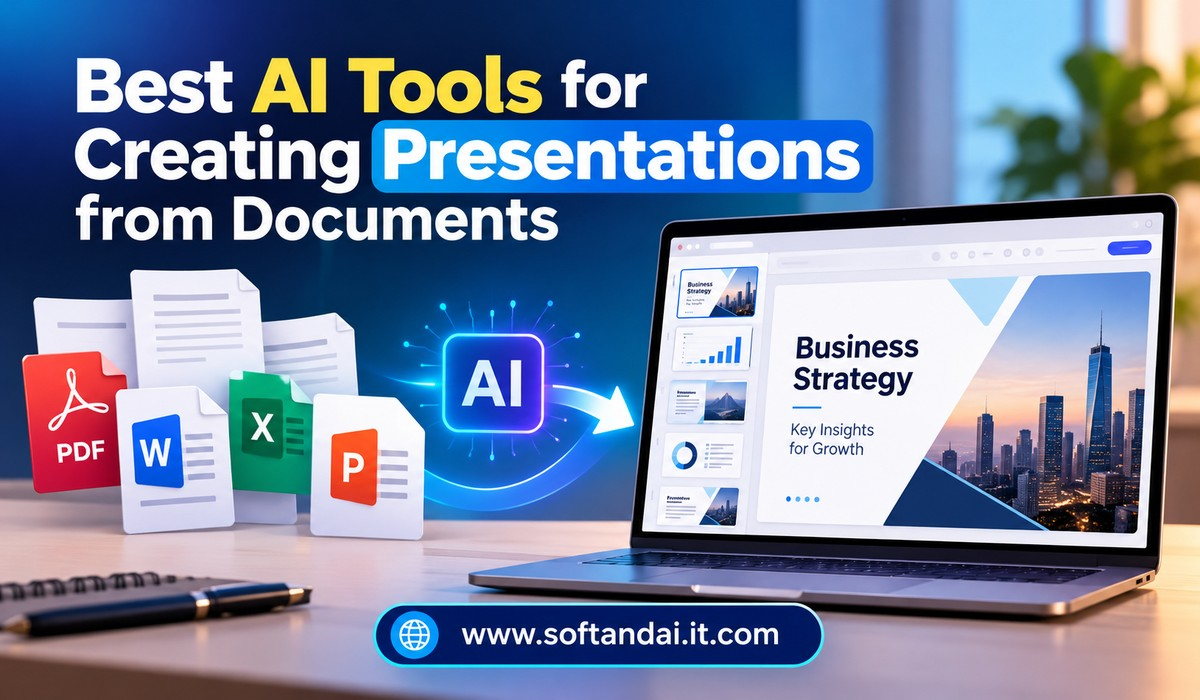
This is where artificial intelligence tools can make the work easier. Today, several AI-powered platforms can turn documents into presentations with only a few steps. Instead of creating every slide manually, you can upload a document, select a presentation style, and allow the tool to prepare an initial version for you.
The best AI tools for creating presentations from documents can save time, organise information, suggest suitable layouts, and help users create professional-looking slides without advanced design skills. However, every tool works differently, and choosing the right one depends on your needs.
In this blog, we will explore some of the most useful AI presentation tools, their features, and how they can help you convert documents into effective presentations.
Why Use AI Tools to Create Presentations from Documents?
A document and a presentation serve different purposes. A document usually contains detailed explanations, background information, examples, and supporting facts. A presentation needs to communicate the same ideas in a shorter and more visual way.
Converting a lengthy document into slides manually requires careful reading and editing. You must decide which information deserves attention and which details can be removed. You also need to arrange the content in a logical order so that the audience can understand the subject without reading too much text.
AI tools can help with much of this work. They can read supported documents, identify important information, create slide titles, summarise paragraphs, and suggest visual layouts. Some platforms can also recommend images, icons, charts, and other design elements.
Another advantage is that these tools can help people who do not have professional design experience. You do not need to spend hours learning presentation software before creating a useful slide deck.
However, AI does not always understand the importance of every detail. It may remove information that is necessary or create slides that need editing. Therefore, it is important to review the final presentation before sharing it with others.
1. Microsoft PowerPoint with Copilot
Microsoft PowerPoint is one of the most widely used presentation platforms. Its AI assistant, Copilot, makes it easier to create presentations using existing documents.
With Copilot, users can create a presentation based on a Word document. Instead of copying information from each section manually, you can provide the document as a source and ask Copilot to turn its content into slides.
The tool can suggest slide titles, arrange information, and create a presentation structure based on the material in the document. It can also help rewrite slide content, shorten long paragraphs, and improve the overall presentation.
One of its biggest advantages is its connection with Microsoft Office. People who already use Word, Excel, and PowerPoint may find it easier to work within the same environment. After generating the presentation, users can edit the slides using familiar PowerPoint features.
Copilot is particularly useful for business reports, project updates, educational presentations, and meeting summaries. However, access to its features depends on the Microsoft plan and account permissions. Users should also check whether their document format and storage location are supported.
2. Gamma
Gamma is a popular AI-powered platform for creating presentations and other visual content. It is designed to help users turn ideas, written information, and existing content into organised presentations.
Users can provide text, paste content, or use available import options to start creating a presentation. Gamma then uses the supplied information to prepare a structured result with headings, paragraphs, images, and suitable layouts.
One reason people like Gamma is its clean and modern appearance. The platform focuses on creating visually attractive pages without requiring users to adjust every design element manually.
For someone working with a lengthy document, Gamma can help turn the main ideas into shorter sections that are easier to present. It is useful for business proposals, educational topics, research summaries, and project introductions.
Gamma also allows users to make changes after the presentation has been generated. You can adjust the text, replace images, change layouts, and improve the flow of the content.
It is worth remembering that Gamma’s import and file-handling options may vary depending on the type of content and subscription plan. Users should review the generated slides to make sure the information matches the original document.
3. Canva
Canva is widely used for designing social media graphics, posters, documents, and presentations. Its AI-powered design features also make presentation creation easier.
Canva offers tools that help users turn written ideas into attractive slide designs. Depending on the available features and file format, users can bring document content into Canva and use AI-assisted features to create or improve a presentation.
One of Canva’s strongest advantages is its large collection of presentation templates. Users can choose from different styles depending on their topic, audience, and purpose. Whether you need a business presentation, school project, marketing proposal, or training session, there are many designs to explore.
Canva also provides access to photographs, illustrations, icons, shapes, and other design elements. This makes it easier to create slides that are more interesting than pages filled with plain text.
Its editing tools are simple enough for beginners. You can change colours, fonts, backgrounds, images, and slide arrangements without professional design knowledge.
Canva is a good choice for people who want more control over the appearance of their presentations. However, users may need to organise and shorten document content themselves if the imported material is not automatically converted into a suitable slide structure.
4. Beautiful.ai
Beautiful.ai focuses on helping users create professional presentations without spending too much time adjusting slide layouts.
Its smart design features automatically arrange content as users add or edit information. This helps maintain consistent spacing, alignment, and presentation style across different slides.
When working with information taken from a document, users can prepare slide content and use the platform’s design features to organise it into a polished presentation. It is particularly useful for business reports, company introductions, sales presentations, and professional proposals.
The platform offers different slide layouts for displaying text, images, numbers, comparisons, and other information. Users can choose a suitable layout instead of designing every slide from the beginning.
Another benefit is that Beautiful.ai helps maintain a consistent appearance. This is important when preparing presentations for clients, managers, or business partners.
However, it is not always a one-click document-to-presentation solution. Depending on the source document and the required result, users may need to prepare or transfer the content before designing the slides.
5. SlidesAI
SlidesAI is designed for people who want to create presentations from written content without spending hours preparing individual slides. It works with Google Slides and helps users turn text into a presentation.
The process is simple. Users provide their content, choose presentation settings, and allow the tool to organise the information into slides. It can create headings, arrange important points, and help make lengthy information easier to understand.
SlidesAI can be useful for students who need to prepare assignments, teachers who create learning materials, and professionals who regularly prepare presentations for meetings.
One helpful feature is that users can make changes to the generated slides. They can edit the wording, adjust the design, and add images according to their requirements.
Since it works with Google Slides, users can continue editing their presentations using familiar Google tools. This can also make it easier to share presentations with classmates or colleagues.
SlidesAI is worth considering if you regularly work with written documents and prefer creating presentations within Google Slides. Before choosing a plan, check its current file support, usage limits, and available features.
6. Plus AI
Plus AI is another useful option for people who want to create presentations from existing information. It works with popular presentation platforms and helps users generate new slides or improve existing presentations.
Users can provide written content, describe the presentation they need, or work with supported source material. The AI then helps arrange the information into slides with suitable layouts.
One advantage of Plus AI is that it focuses on making presentations that users can continue editing. Instead of receiving a completely separate design that is difficult to change, users can work with the generated slides in supported presentation software.
It can be useful for business proposals, training documents, educational presentations, and project reports.
For example, imagine that you have a ten-page company report and need to explain its main findings during a meeting. You can use the report’s important information to prepare a presentation and then improve the slides by adding relevant images, charts, and explanations.
Plus AI can reduce the time needed to create the first version. However, the final result should always be checked for missing information and incorrect summaries.
7. Presentations.AI
Presentations.AI is a platform that helps users create professional-looking presentations with the assistance of artificial intelligence.
It is designed for people who want to spend less time working on slide layouts and more time focusing on their message. Users can provide their ideas or available source content and allow the platform to develop a presentation structure.
The tool can help arrange information into slides, suggest suitable designs, and create a consistent appearance throughout the presentation.
It can be useful for business owners preparing company introductions, marketers creating campaign presentations, and professionals preparing reports for meetings.
Another benefit is that users can customise the generated presentation. They can make changes to the wording, adjust the visual style, and improve individual slides before sharing the final file.
If you are planning to use it for converting existing documents, check the supported import options first. The ability to create a presentation from a text prompt does not always mean that every document format can be uploaded directly.
8. NotebookLM
NotebookLM is slightly different from traditional presentation-making tools. Its main purpose is to help users understand information from their own sources, including documents and other supported files.
This makes it useful when you have a large amount of written information and need to understand the main ideas before creating a presentation.
You can add supported documents as sources and ask questions about their contents. NotebookLM can help summarise information, explain important sections, and organise ideas around a particular subject.
For example, a student researching a topic may have several PDF documents containing detailed information. Instead of reading everything repeatedly, the student can use NotebookLM to understand the main arguments and identify useful information for a presentation.
Its features and availability can change, so users should check the current options for creating or exporting presentation material. It is especially valuable as a preparation tool when accuracy and understanding of source documents are important.
How to Choose the Right AI Presentation Tool
Choosing the right platform depends on what you want to achieve. Not every tool offers the same document support, editing options, or design features.
If you regularly work with Microsoft Word documents, PowerPoint with Copilot may be a convenient option. It allows you to work within the Microsoft environment and continue editing the generated slides.
If you want modern designs with less manual work, Gamma is worth exploring. Canva is suitable for people who prefer having more control over colours, images, templates, and other design elements.
SlidesAI and Plus AI can be useful for people who already use Google Slides or want AI assistance within their existing presentation workflow. Beautiful.ai is worth considering when maintaining a professional and consistent slide design is important.
NotebookLM is a useful choice when your first priority is understanding information from multiple documents before preparing your presentation.
Before selecting a tool, consider the type of documents you use, how many presentations you create, and whether you need to download or share the finished slides. Also check the available free features and paid subscription costs.
How to Create a Presentation from a Document Using AI
The process of creating a presentation with AI is usually straightforward, although the exact steps depend on the platform.
Start by choosing the document you want to convert. It could be a Word file, PDF, research report, business proposal, or study material. Make sure the document contains clear information and has a logical structure.
Next, open your chosen AI presentation platform and look for its document import or presentation creation option. Upload the file if direct uploading is supported. Otherwise, copy the important content into the platform.
After adding the information, explain what kind of presentation you need. For example, you may want a ten-slide presentation for a business meeting or a simple educational presentation for students.
The AI tool will prepare an initial presentation based on the information you provide. It may create headings, summaries, slide layouts, and visual elements.
Once the slides are ready, review every page carefully. Check whether important details from the original document are included and whether the information is presented correctly.
Finally, make any necessary changes. Replace unsuitable images, correct mistakes, improve slide titles, and remove unnecessary text. Save or export the presentation in the required format.
This final review is important because AI-generated presentations are not always perfect.
Benefits and Limitations of Using AI for Presentations
AI presentation tools offer several advantages. The biggest benefit is saving time. A task that might normally take several hours can become much easier when AI helps prepare the first version.
These tools can also help improve the appearance of slides. They suggest layouts, organise information, and provide design ideas that beginners may not think of themselves.
Another advantage is that they make presentation creation more accessible. Students, small business owners, teachers, and professionals can create attractive slides without hiring a designer.
However, there are some limitations. AI may misunderstand a document, remove important details, or produce summaries that do not fully explain the subject. Sometimes the generated presentation may also contain too much text or unsuitable images.
Users should be careful when working with financial reports, business information, research documents, or confidential files. Before uploading sensitive material, review the platform’s privacy settings and document-handling policies.
The best approach is to use AI as an assistant rather than depending on it completely. Human review is still necessary to make sure the presentation is accurate, clear, and useful.
Final Thoughts
AI tools have changed the way people create presentations from documents. Instead of spending hours copying information, arranging slides, and selecting designs, users can now get help from AI to complete much of the initial work.
Platforms such as PowerPoint with Copilot, Gamma, Canva, SlidesAI, Plus AI, Beautiful.ai, Presentations.AI, and NotebookLM offer different ways to work with written information and prepare presentation material.
The right choice depends on your requirements. Some tools are better for business presentations, while others are useful for students, teachers, and people who want attractive designs.
However, remember that a good presentation is not only about attractive slides. It should communicate the correct information in a simple and understandable way. Always review the content, correct mistakes, and make sure the slides match your original document.
With the right AI tool and a little human editing, creating professional presentations from lengthy documents can become much faster and easier.
Frequently Asked Questions (FAQs)
1. Which is the best AI tool for creating presentations from documents?
Gamma, Microsoft PowerPoint with Copilot, Canva, and SlidesAI are useful options. The best choice depends on your document format, design preferences, and editing requirements.
2. Can AI convert a PDF document into a PowerPoint presentation?
Yes, some AI presentation platforms support PDF imports or can work with text extracted from PDF documents. However, supported formats and file limits vary between platforms.
3. Are AI presentation-making tools free to use?
Some platforms offer free plans or limited free features. However, advanced AI features, additional presentations, and certain export options may require a paid subscription.
4. Can AI create professional presentations without design skills?
Yes. AI tools can suggest slide layouts, select suitable designs, organise information, and recommend images. This makes presentation creation easier for beginners.
5. Should I edit an AI-generated presentation before sharing it?
Yes. Always review the presentation before sharing it. Check facts, correct mistakes, remove unnecessary information, and make sure the slides communicate your message clearly.