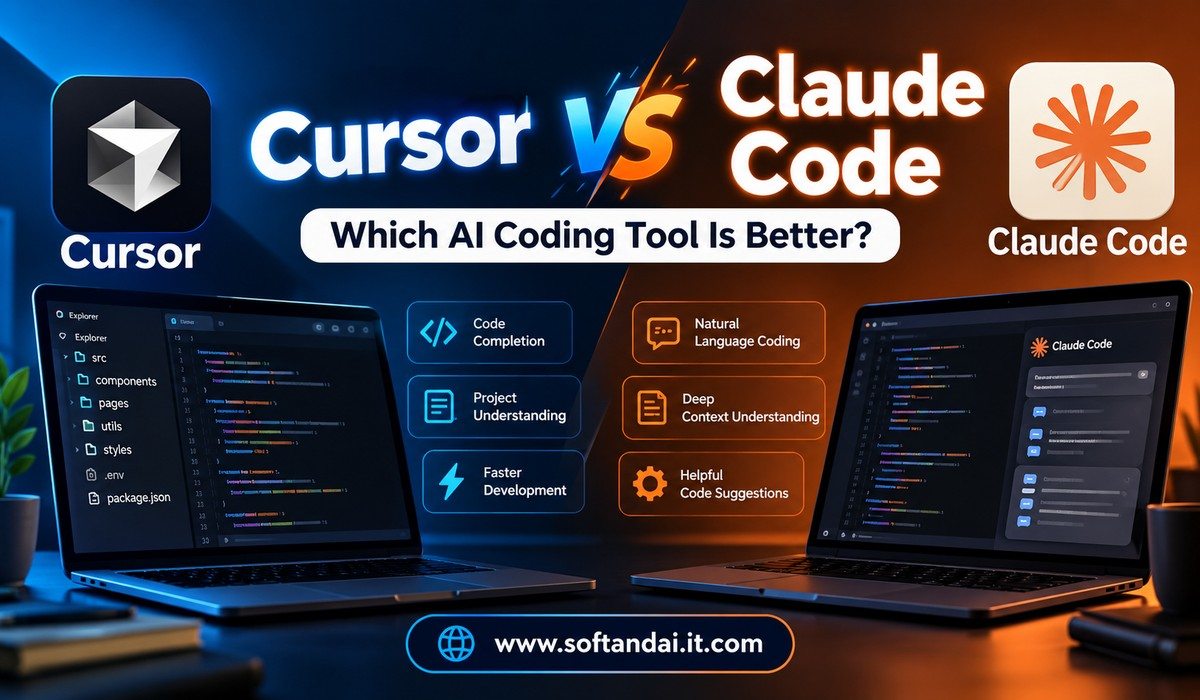
Artificial intelligence is changing the way people write software. Developers no longer need to spend hours writing every line of code, searching for small mistakes, or trying to understand complicated programming problems. AI coding tools can now help with writing code, fixing errors, creating websites, building applications, and managing large software projects.
Two popular names in this space are Cursor and Claude Code. Both tools help developers work faster and complete coding tasks with the support of artificial intelligence. However, they offer different experiences and are designed around different working styles.
Cursor provides an AI-powered coding editor where developers can write, edit, and manage their code. Claude Code, developed by Anthropic, works mainly through the command line and can also connect with popular coding editors. It can understand project files, make changes, run tests, and help complete larger development tasks.
This creates an important question for developers: Cursor vs Claude Code, which AI coding tool is better?
The answer depends on what you want to build, how you prefer to write code, and how much control you want over the development process. In this article, we will compare both tools, their features, advantages, limitations, and practical uses to help you choose the right option.
What Is Cursor?
Cursor is an AI-powered code editor designed to make software development easier. It provides an environment where developers can write code and communicate with an AI assistant without constantly moving between different applications.
The editor looks and feels familiar to people who have used Visual Studio Code. This makes it easier for developers to get started because they do not have to learn an entirely different working environment.
One of the biggest advantages of Cursor is that its AI assistant can understand the files inside a project. Instead of asking developers to copy and paste large sections of code into a chatbot, it can examine the project and identify where changes are needed.
For example, imagine you are building a business website and want to add a contact form. You can describe the required feature in normal language. Cursor can examine the existing files, identify the correct location, write the required code, and help connect the form with the rest of the website.
Cursor also supports different AI models, depending on the subscription and available settings. This gives developers more flexibility when choosing the type of AI assistance they want.
Its Agent feature can work across several files, run terminal commands, and help fix problems. Developers can review the changes before accepting them, which makes it easier to stay in control of the project.
Cursor is useful for beginners who want help while learning and experienced developers who want to complete everyday coding work more quickly.
What Is Claude Code?
Claude Code is an AI coding assistant developed by Anthropic. It is designed to help developers complete software development tasks by understanding their projects and working directly with their files.
Unlike Cursor, Claude Code is mainly built around the command line. The command line is a place where developers type instructions to perform actions on their computers. However, users do not need to manage every coding task manually because Claude Code can understand natural language instructions.
For example, you can ask Claude Code to examine an existing application, find a problem, suggest a solution, and make the necessary changes. It can also run tests to check whether the changes work as expected.
Claude Code can work with Git, project files, development tools, and other services. It can help with website development, application building, code improvement, testing, and large changes across a software project.
Another useful feature is its ability to work with existing coding environments. Developers can use it through the terminal or connect it with supported editors, including Visual Studio Code and other development tools.
Claude Code is particularly useful when developers want an AI assistant that can handle several connected tasks instead of simply suggesting individual lines of code.
It can also work on longer development tasks that require examining many files and making changes across an entire project.
Cursor vs Claude Code: Understanding the Main Difference
The biggest difference between Cursor and Claude Code is how developers interact with them.
Cursor is built around a visual coding editor. You can see your files, write code, ask questions, and review AI-generated changes in one place. It provides a comfortable experience for people who prefer working inside an editor.
Claude Code follows a more command-based approach. Developers give instructions through the terminal, and the AI assistant works with the project files and available tools.
This difference can affect the overall development experience.
For example, a beginner who is learning HTML, CSS, and JavaScript may find Cursor easier because the code and AI suggestions appear together. The developer can see exactly where changes are happening and learn from the results.
An experienced developer working on a large application may prefer Claude Code because it can handle connected tasks, examine different parts of a project, and work through problems using the command line.
However, these differences do not mean that one tool can perform tasks that the other cannot. Both tools can help write code, fix bugs, understand projects, and improve existing applications.
The better choice depends on the type of work and personal preference.
Ease of Use: Which Tool Is Better for Beginners?
Ease of use is an important factor when choosing an AI coding tool, especially for people who are still learning programming.
Cursor has an advantage in this area because its editor provides a familiar visual environment. Developers can open a project, select files, ask questions, and see the results without learning many new commands.
Its AI features make everyday tasks easier. A beginner can ask Cursor to explain a piece of code, create a simple webpage, or fix a problem. The developer can then examine the changes and understand how the code works.
Claude Code is also designed to understand normal language instructions, but its terminal-based approach may feel unfamiliar to beginners.
People who have never used a command line may need some time to understand how to start projects, move between folders, and manage development tasks.
However, once users become comfortable with the process, Claude Code can be a powerful assistant.
For someone learning programming from the beginning, Cursor is generally the easier starting point. For someone who already understands basic development tools, Claude Code is worth exploring.
Coding Ability and Quality of Results
Both Cursor and Claude Code can produce useful code, but the quality of the results depends on several factors.
The AI model being used, the quality of instructions, the project structure, and the complexity of the task all affect the final output.
Cursor supports multiple AI models, giving developers the option to choose different models according to their needs and available plans. This is helpful when one model performs better for a particular programming task.
Claude Code uses Anthropic’s Claude models and is designed to work through larger development tasks. It can examine related files, understand how different parts of an application connect, and make changes across the project.
For example, suppose you want to improve the login system of an existing website. The work may involve the login page, user database connection, password checking, and error messages.
Both tools can help with this task. Cursor allows developers to work through the changes inside its editor, while Claude Code can examine the project and carry out connected changes through its working process.
It is important to remember that neither tool guarantees perfect code. Developers should always review important changes, test applications, and check for security problems before publishing anything.
Working With Large Projects
Large software projects often contain hundreds or thousands of files. Understanding how these files connect can be difficult, especially when developers join an existing project.
Cursor helps by examining the codebase and finding relevant files when a developer asks a question or requests a change. Its Agent feature can work across multiple files and help developers understand how different parts of a project fit together.
Claude Code also focuses strongly on understanding existing projects. It can examine project folders, follow connections between files, and work on tasks that require changes in different areas.
For example, a developer may want to change how user information is displayed throughout an application. This could require updates to several pages and related files.
Claude Code can investigate these connections and help carry out the required changes. Cursor can also perform similar work through its Agent feature.
Both tools are suitable for large projects, but developers who prefer working through a terminal may find Claude Code more comfortable. Those who want to see their project and changes inside an editor may prefer Cursor.
Debugging and Fixing Coding Errors
Every developer faces coding errors. Sometimes a website stops working because of a small mistake. In other cases, an application may fail because several files are not working together correctly.
AI coding tools can make this process easier by examining code, explaining possible causes, and suggesting solutions.
Cursor includes features that help developers find and fix bugs. Its Agent can examine the project, make changes, run commands, and help verify whether the problem has been resolved.
Claude Code can also investigate errors and work through the steps required to fix them. It can examine related files, run available tests, and make changes based on the results.
For example, imagine your website displays an error after a user submits a registration form. You can ask either tool to investigate the problem.
The AI assistant can examine the form, check the related code, and identify possible reasons for the failure.
However, developers should not accept every suggested solution without checking it. Sometimes an AI tool may fix one problem while creating another.
Both Cursor and Claude Code are helpful for debugging, but the developer remains responsible for checking the final result.
Pricing: Which Tool Offers Better Value?
Pricing is another important consideration, particularly for students, freelancers, and small development teams.
Cursor offers different subscription plans, including a limited free option and paid plans with different levels of AI usage. Its pricing structure is designed around access to its editor features, AI assistance, and available usage limits.
Some plans also provide access to additional features, such as cloud agents and automated code reviews. Access to certain third-party AI models may involve separate usage charges.
Claude Code offers access through eligible Claude subscriptions and through Anthropic’s API-based services. When using the API, the cost depends on how much the AI models are used.
This means that the total cost can change depending on the size of the project, the number of requests, and the amount of work being completed.
A developer who uses AI occasionally may not need an expensive subscription. However, someone who works with AI throughout the day may need a plan with higher usage limits.
There is no single winner in pricing because the two tools use different payment arrangements.
Before purchasing either service, developers should check the official pricing pages and understand what is included in each plan.
Customization and Control
Developers often have their own working methods. Some prefer using specific tools, while others want to control how an AI assistant handles files and commands.
Cursor provides customization through project rules, settings, extensions, and supported connections. Developers can give instructions about how the AI should work within a project.
For example, a team may want all new website components to follow the same coding style. Project rules can help the AI follow those instructions while creating or changing code.
Claude Code also supports project instructions through files such as CLAUDE.md. Developers can use these files to explain project requirements, coding preferences, and important information.
It can also connect with other tools through supported connections and command-line services.
Both products offer useful customization options. Cursor is convenient for people who want to manage their AI experience inside an editor, while Claude Code is attractive to developers who prefer a flexible command-based working environment.
Security and Privacy Considerations
Security should never be ignored when using AI coding tools.
Developers often work with private project files, business information, customer records, and important application details. Sharing sensitive information without understanding the privacy settings can create unnecessary risks.
Cursor provides privacy settings that allow users and teams to manage how their code data is handled. Developers should review these settings before using the tool with private projects.
Claude Code runs locally in the developer’s terminal and communicates with the relevant model services. It also asks for permission before performing certain actions, such as changing files or running commands.
However, local operation does not automatically mean that every piece of information stays entirely on the computer. Requests sent to AI services still need to be considered when reviewing privacy requirements.
Businesses should check the official security information of both products before using them for confidential projects.
Developers should also avoid placing passwords, private keys, or other sensitive information directly into AI instructions.
Which Tool Is Better for Freelancers and Development Teams?
Freelancers usually work on different types of projects. One day they may build a business website, and the next day they may fix an existing application for a client.
Cursor can be a useful choice because it brings coding and AI assistance together. Freelancers can create new features, edit existing websites, and solve everyday coding problems inside one editor.
Claude Code can be useful when a freelancer needs to handle larger changes, examine an unfamiliar project, or automate parts of the development process.
Development teams may benefit from both tools in different situations.
Cursor offers team features that help manage shared settings, usage, and project workflows. Claude Code supports longer development tasks and can work with existing development tools.
A small team that prefers a visual editor may find Cursor easier to introduce. A team with strong command-line experience may appreciate Claude Code.
The final decision should consider how developers already work rather than choosing a tool simply because it is popular.
Can You Use Cursor and Claude Code Together?
Yes, developers can use both tools together.
There is no rule that says a developer must choose only one AI coding assistant. In fact, using both can be useful when different tasks require different approaches.
For example, a developer can use Cursor for everyday coding, editing files, and reviewing changes. Claude Code can be used when a project requires deeper investigation or a larger task involving several connected files.
Claude Code can also be used with supported coding editors, including Cursor.
This allows developers to benefit from the visual working environment of Cursor while also using Claude Code for tasks that suit its approach.
However, using two paid services can increase monthly expenses. It is better to understand the benefits of each tool before paying for both.
Developers should also avoid allowing multiple AI assistants to make changes to the same files at the same time without reviewing their work. This can create confusion and make it harder to understand what has changed.
Cursor vs Claude Code: Final Verdict
Cursor and Claude Code are both useful AI coding tools, but they are designed around different working experiences.
Cursor is a strong option for developers who want an AI-powered editor that makes everyday coding easier. Its visual environment, Agent features, and support for different AI models make it suitable for beginners, freelancers, and experienced developers.
Claude Code is a strong choice for people who prefer command-line development and want an AI assistant that can understand projects, make changes across files, run tests, and handle longer tasks.
If you are new to programming or prefer working inside a visual editor, Cursor is a sensible starting point. If you already have experience with development tools and want an assistant that can manage more connected tasks, Claude Code deserves serious consideration.
For professional developers, trying both tools on the same small project can be the best way to understand their differences.
Ultimately, the best AI coding tool is not the one with the most features. It is the one that helps you write reliable code, understand your projects, save time, and complete work without creating unnecessary problems.
Frequently Asked Questions
1. Is Cursor better than Claude Code?
Cursor is better for developers who prefer a visual coding editor with built-in AI assistance. Claude Code is better suited to developers who like working through the terminal and want help with larger development tasks. Both tools are capable, and the better choice depends on your working style.
2. Is Claude Code suitable for beginners?
Yes, Claude Code can help beginners understand code, fix errors, and build simple applications. However, its command-line approach may take some time to learn. Beginners who prefer a visual environment may find Cursor easier to use initially.
3. Can Cursor and Claude Code build complete websites?
Yes, both tools can help developers build complete websites. They can assist with writing HTML, CSS, JavaScript, and other programming languages. They can also help create website features, fix errors, and improve existing projects. Developers still need to test the website before publishing it.
4. Does Claude Code work inside Cursor?
Yes, Claude Code can be used with supported coding editors, including Cursor. This allows developers to work with Claude Code while using an editor-based development environment.
5. Which AI coding tool should I choose in 2026?
Choose Cursor if you want a user-friendly editor with built-in AI features and flexible model options. Choose Claude Code if you prefer terminal-based development and want an assistant that can handle connected coding tasks. If your budget allows, testing both tools on a real project will help you make a better decision.