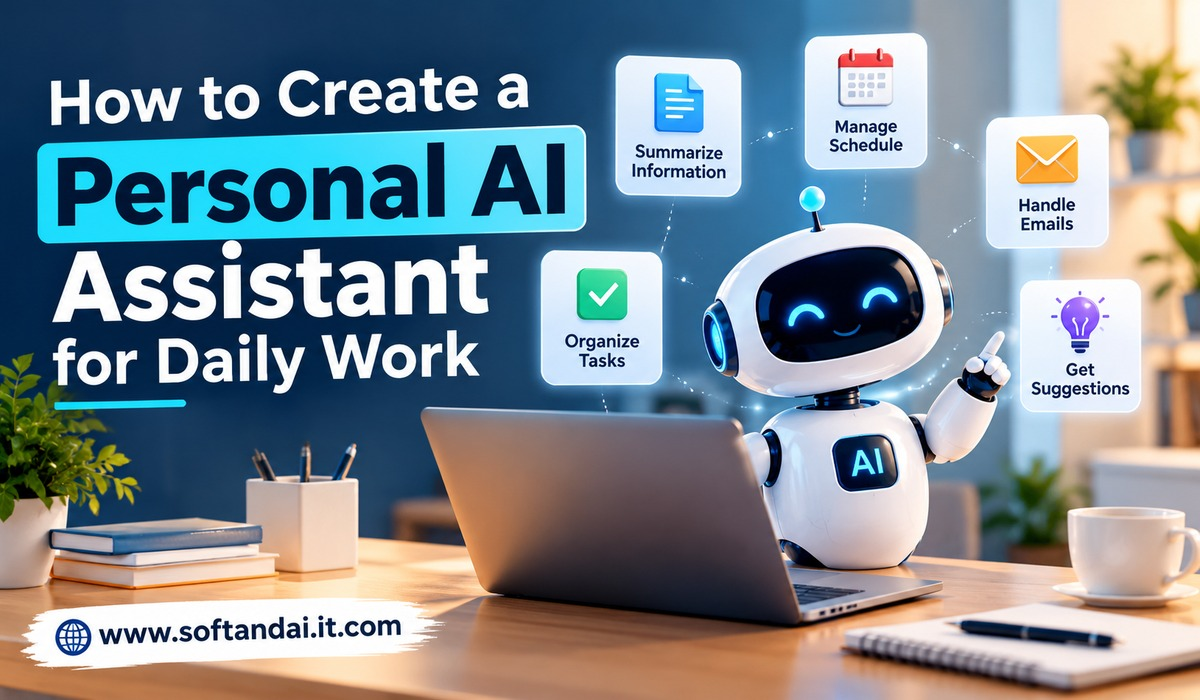
Artificial intelligence is becoming a useful part of everyday life. From writing emails to managing schedules, people are using AI tools to save time and complete tasks more easily. However, many people still use different applications for different activities. They may use one tool for writing, another for reminders, and another for organizing information. Switching between these tools can take time and make daily work more difficult.
A personal AI assistant can make these activities easier by bringing several useful tasks into one simple working system. It can help you organize your day, prepare documents, answer questions, manage information, and support your regular work. You do not need to be a technical expert to create one. With the right tools and a clear understanding of your needs, you can build an assistant that supports your daily activities.
In this guide, we will explain how to create a personal AI assistant for daily work, what tools you need, how to set it up, and how to make it more useful over time.
What Is a Personal AI Assistant?
A personal AI assistant is a digital helper that uses artificial intelligence to understand your instructions and help you complete everyday tasks. Unlike traditional applications that perform only one activity, an AI assistant can support different types of work through simple conversations.
For example, you can ask it to write an email, summarize a long document, prepare a meeting schedule, explain a difficult topic, or create ideas for a new project. It can understand your instructions and provide answers based on the information you share.
A personal AI assistant can be useful for students, office workers, business owners, freelancers, content creators, and people who manage several responsibilities every day.
The main purpose is not to replace human thinking or decision-making. Instead, it helps reduce repetitive work so you can spend more time on activities that need your attention.
Why Do You Need a Personal AI Assistant?
Managing daily work can become difficult when several tasks need attention at the same time. You may have emails to answer, meetings to attend, reports to prepare, and important deadlines to remember. Handling everything manually can consume a large part of your day.
A personal AI assistant helps make these responsibilities easier to manage. It can prepare a daily work plan, suggest priorities, and help you complete small tasks more quickly.
For example, if you receive a long business report, you can ask your assistant to explain its main points in simple language. If you need to contact a customer, you can ask it to prepare a professional email. If you have several ideas for a project, it can help organize them into a clear plan.
Another advantage is that you can use it whenever you need help. You do not have to wait for another person to explain something or prepare a first draft. You can simply describe your requirement and receive assistance.
Understand Your Daily Work Requirements First
Before creating your personal AI assistant, understand what you want it to do. Many people make the mistake of trying to create an assistant that handles everything from the beginning. This can make the setup confusing and difficult to manage.
Start by looking at your normal daily activities. Think about which tasks take the most time and which activities you repeat regularly. These are usually the best tasks to give to an AI assistant.
For example, a content writer may need help with blog ideas, article outlines, proofreading, and email communication. A business owner may need support with customer replies, meeting preparation, sales information, and daily planning.
An office employee may want an assistant that helps prepare reports, summarize documents, and organize meeting notes.
Your assistant should be designed around your actual working habits. When you understand your requirements, it becomes easier to select suitable tools and give clear instructions.
Choose the Right AI Tool
The next step is choosing an AI platform that matches your needs. Several AI tools are available, and many of them can help with daily activities.
ChatGPT is one popular option. It can help with writing, research, explanations, brainstorming, planning, and document-related tasks. You can also create a more customized experience by giving it instructions about how you prefer to work.
Google Gemini is another option. It can help answer questions, generate content, explain information, and support different work activities. It may also be useful for people who regularly work with Google’s services.
Microsoft Copilot can support users with writing, information searches, and other work-related activities. Depending on the version and connected applications, it can also help with tasks involving Microsoft products.
You do not need to use every available AI tool. Start with one platform and understand its features. Once you become comfortable using it, you can decide whether another application would provide additional value.
Set Up Your Personal AI Assistant
After selecting an AI platform, the next step is setting it up according to your working requirements.
Begin by explaining what kind of assistant you want. Give it information about your regular activities, the type of work you do, and the way you prefer to receive answers.
For example, you can tell it that you need help with daily business activities, writing professional emails, preparing articles, organizing tasks, and understanding technical information.
You should also explain your preferred communication style. If you like simple language, ask the assistant to avoid difficult words and unnecessary explanations. If you need professional content, tell it to use a clear and polite tone.
The more clearly you explain your requirements, the more useful its responses can become.
You can also create separate working instructions for different activities. For example, your writing instructions can explain how articles should be prepared, while your email instructions can explain how formal messages should sound.
This approach makes your assistant easier to use because you do not need to explain every preference repeatedly.
Use Your AI Assistant for Daily Planning
Planning is one of the most useful ways to use a personal AI assistant. A well-organized day can help you complete important work without feeling overwhelmed.
At the beginning of each working day, share your planned activities with your assistant. Explain which tasks are urgent, which ones have deadlines, and how much time you expect to spend on each activity.
Your assistant can help organize these tasks into a practical daily schedule.
For example, if you have to prepare a report, answer customer emails, attend a meeting, and write an article, you can ask it to arrange the work according to importance.
It can also help you identify tasks that may take longer than expected. This gives you an opportunity to adjust your schedule before the day becomes too busy.
You can return to your assistant during the day and update your progress. If an unexpected task appears, ask it to help reorganize your remaining activities.
However, always review the suggested schedule. Your assistant may not understand every personal commitment or unexpected situation.
Use AI for Emails and Communication
Emails are an important part of professional life, but writing and answering them can take a considerable amount of time.
A personal AI assistant can help you prepare professional messages without starting from a blank page. You can explain the purpose of your email and provide the important details. The assistant can then create a suitable draft.
For example, you may need to contact a customer about a delayed order. Instead of spending time deciding how to explain the situation, you can ask your assistant to prepare a polite and clear message.
It can also help improve an email that you have already written. If your message contains unclear sentences or grammar mistakes, the assistant can make it easier to understand.
Another useful feature is adjusting the tone of communication. You can ask for a formal business email, a friendly customer response, or a short follow-up message.
Remember to read every message before sending it. Check names, dates, prices, attachments, and other important details. AI can make mistakes, so final approval should always remain with you.
Make Writing and Research Easier
Writing is another area where a personal AI assistant can save time. Whether you create business reports, blog posts, social media content, or presentations, AI can help you organize your ideas.
You can ask it to suggest topics, prepare article outlines, explain difficult subjects, and improve existing content. It can also help you rewrite complicated information using simple language.
For example, if you want to write about a new technology, you can ask your assistant to explain the subject in beginner-friendly language. After understanding the topic, you can use the information to develop your own article.
AI can also help with research by organizing information and suggesting questions that deserve further attention. However, important facts should be checked against reliable sources, especially when writing about finance, technology, business, or current events.
Do not depend entirely on AI-generated information. Your own experience, knowledge, and careful research are important for creating useful and trustworthy content.
Connect Your Assistant With Other Applications
A personal AI assistant becomes more useful when it can work alongside the applications you already use.
For example, you may use Google Calendar to manage meetings, Gmail for communication, Google Drive for documents, or Microsoft Office for business work.
Some AI platforms offer connections with external applications. These connections can allow the assistant to access selected information or help perform certain activities, depending on the available features and permissions.
You might use a calendar connection to review upcoming meetings or an email connection to find important conversations. Document connections can also make it easier to work with information stored in supported services.
However, not every AI assistant supports every application. Some connections may require a paid plan, additional permission, or separate setup.
Before connecting an application, understand what information the assistant can access and what actions it can perform. Only provide the permissions needed for your work.
Create Simple Instructions for Repeated Tasks
If you perform the same activities regularly, create clear instructions that you can reuse.
For example, if you prepare weekly business reports, you can create a standard instruction explaining the report format, writing style, and information that should be included.
Whenever you need a new report, provide the latest information and ask your assistant to follow those instructions.
The same approach works for customer emails, meeting summaries, project updates, and content planning.
This saves time because you do not have to explain the entire process every time.
You can also improve these instructions when you notice something is missing. If the assistant regularly provides too much information, ask it to keep future responses shorter. If the writing sounds too formal, explain that you prefer natural language.
Over time, these small improvements can make your personal AI assistant more suitable for your daily working style.
Protect Your Personal and Business Information
While creating a personal AI assistant, information safety should be an important consideration.
You may work with customer details, business documents, financial information, personal emails, or other private records. Sharing sensitive information without understanding how a platform handles it can create unnecessary risks.
Avoid entering passwords, bank details, private identification numbers, or confidential business information unless you have confirmed that the service and its settings are suitable for handling that information.
Use strong account security and enable additional login protection when available. Review connected applications regularly and remove permissions that you no longer need.
You should also understand the privacy settings of your selected AI platform. Different services may have different rules for storing conversations and using submitted information.
An AI assistant should make your work easier without putting your personal or professional information at unnecessary risk.
Test Your Assistant With Real Daily Tasks
After setting up your assistant, do not immediately depend on it for every activity. First, test it with simple tasks that you already understand.
Ask it to prepare an email, summarize a document, create a daily schedule, or explain a topic. Check whether the answers are useful and whether they follow your instructions.
If the assistant misunderstands something, improve your instructions and try again.
For example, if you ask for a short email but receive several paragraphs, explain that you prefer messages of around 100 words. If you want simple explanations, tell it to avoid technical terms.
Testing helps you understand what your assistant can do well and where human checking is still necessary.
You should also remember that AI does not always provide correct answers. It may misunderstand instructions, produce outdated information, or include details that are not true. Always check important information before using it in professional work.
Common Mistakes to Avoid When Creating a Personal AI Assistant
One common mistake is expecting an AI assistant to handle every activity perfectly. AI is useful, but it cannot understand every situation or make every decision correctly.
Another mistake is giving unclear instructions. If you provide only a few vague words, the assistant may produce an answer that does not match your expectations. Explain your requirements with enough detail to make the task clear.
Some people also connect too many applications before understanding how the assistant works. This can make the setup complicated and increase unnecessary access to personal information.
Using AI without checking the final results is another problem. Whether you are preparing a business report, sending an email, or researching a subject, take time to review the information.
Finally, do not keep adding features that you never use. A simple assistant that handles your important daily tasks is often more useful than a complicated system that is difficult to manage.
How to Improve Your Personal AI Assistant Over Time
Creating your assistant is only the beginning. Its usefulness can improve as you learn how to give better instructions and understand which activities benefit from AI support.
Pay attention to the tasks where it saves you the most time. If writing emails becomes easier, improve your email instructions. If daily planning is useful, develop a regular planning routine.
You can also explore new features as your requirements change. For example, you may later want help preparing meeting summaries, reviewing documents, or organizing project information.
However, make changes gradually. Introduce one new activity at a time and check whether it actually improves your working routine.
It is also helpful to review your assistant’s instructions occasionally. Your responsibilities may change, and the assistant should reflect your current requirements.
The goal is to create a reliable digital helper that supports your work without making your routine more complicated.
Conclusion
Creating a personal AI assistant for daily work does not have to be difficult. You can start with a simple AI platform, explain your requirements, and use it for activities such as writing, planning, research, email communication, and document preparation.
The most important step is understanding your daily needs before choosing tools and features. Start with a few useful tasks, test the results, and improve your instructions as you become more comfortable.
Remember that AI should support your skills rather than replace your judgment. Always review important information, protect private data, and make final decisions yourself.
With regular use and proper setup, a personal AI assistant can help you save time, organize responsibilities, and manage everyday work more comfortably.