Meetings are an important part of modern working life. Businesses, students, freelancers, and remote teams attend meetings every day to discuss ideas, share updates, solve problems, and make decisions. However, remembering everything discussed during a long meeting can be difficult. People often spend more time writing notes than listening to the conversation. Important details can also be missed when several people speak at the same time.
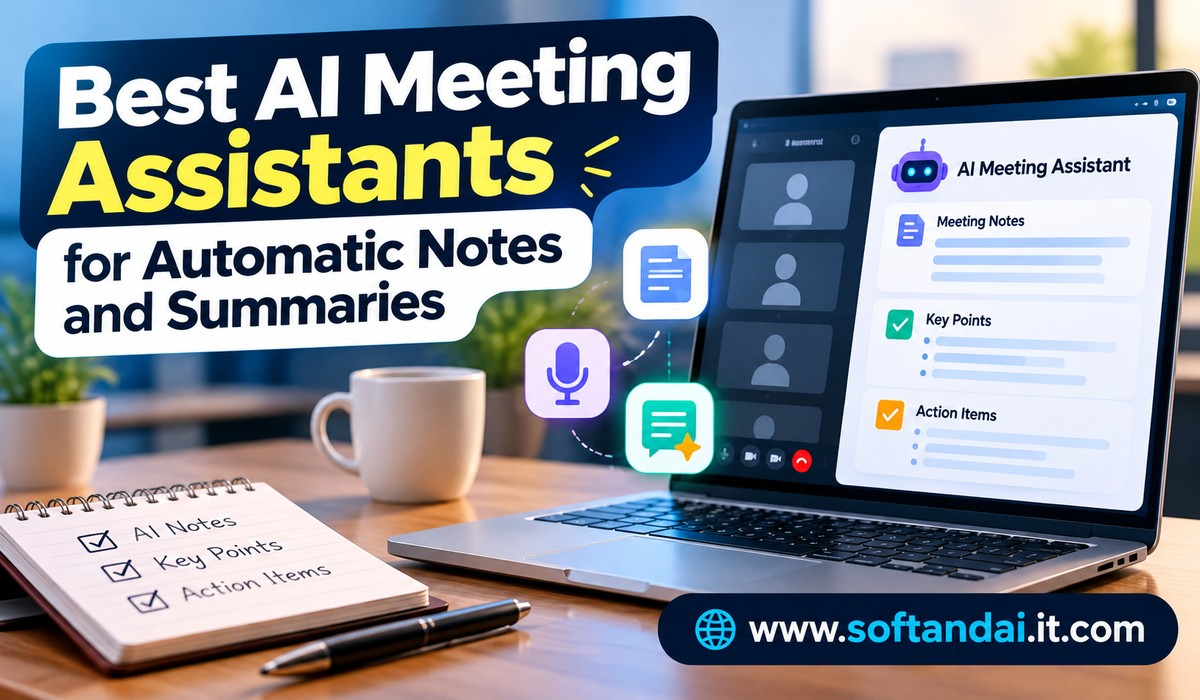
This is where AI meeting assistants can make a real difference. These tools use artificial intelligence to listen to conversations, prepare meeting notes, create summaries, and identify important tasks automatically. Instead of writing everything manually, users can focus on the discussion while the software takes care of the documentation.
Many AI meeting assistants also provide searchable transcripts, highlight important decisions, and help teams prepare follow-up messages. Some work with popular meeting platforms such as Zoom, Google Meet, and Microsoft Teams.
In this article, we will explore the best AI meeting assistants for automatic notes and summaries, their important features, and how to choose the right tool for your daily work.
What Are AI Meeting Assistants?
AI meeting assistants are software tools designed to make meetings easier to manage. They can record or listen to conversations, convert spoken words into written text, and create organised summaries.
For example, imagine attending a one-hour business meeting with five colleagues. During the discussion, your team talks about upcoming projects, customer requirements, deadlines, and future plans. Normally, someone would need to write down all the important information.
An AI meeting assistant can handle much of this work automatically. It can prepare a written record of the conversation, highlight the main discussion points, and identify tasks that need attention after the meeting.
Some tools can also recognise different speakers, making it easier to understand who said something. Users can return to the transcript later when they need to check a particular detail.
These assistants are useful for office meetings, online classes, customer calls, interviews, team discussions, and business presentations.
Why Are AI Meeting Assistants Becoming Popular?
The growing popularity of remote and hybrid working has increased the number of online meetings. Employees often attend several meetings throughout the day, leaving limited time for other responsibilities.
Traditional note-taking can become tiring, especially when discussions move quickly. A person who concentrates on writing may miss important information shared by another participant.
AI meeting assistants help solve this problem by reducing the amount of manual work. They allow people to pay more attention to conversations while keeping a record of what was discussed.
Another reason for their popularity is the growing need for better teamwork. When someone misses a meeting, they can read the summary instead of asking another employee to explain everything. Managers can also review decisions and check which tasks were assigned.
These tools are becoming useful for small businesses as well as large companies because they save time and make information easier to access.
Best AI Meeting Assistants for Automatic Notes and Summaries
Several AI meeting assistants are available today, but each offers a different experience. Some focus on accurate transcription, while others are designed for business teams that need detailed summaries and follow-up support.
1. Otter.ai
Otter.ai is one of the well-known tools for automatic meeting notes. It helps users convert spoken conversations into written text and prepare summaries without typing everything manually.
One of its useful features is real-time transcription. As people speak during a meeting, Otter.ai creates a written record of the conversation. Users can follow the discussion through the transcript and review important information later.
The platform can also identify different speakers and organise meeting information. Its AI features help users understand the main points without reading the complete conversation.
Otter.ai works with popular meeting platforms, including Zoom, Google Meet, and Microsoft Teams. It is useful for students, journalists, business professionals, and remote employees who regularly attend online discussions.
Another helpful feature is the ability to search through previous conversations. Instead of listening to an entire recording again, users can search for specific words or topics.
Otter.ai offers a free plan with limited usage, while paid plans provide additional features and higher limits. It is a practical choice for people who want reliable written records of their meetings.
2. Fireflies.ai
Fireflies.ai is another popular AI meeting assistant that helps businesses manage conversations and meeting information.
It can join supported online meetings, record discussions, and prepare transcripts automatically. After the meeting, users can access a summary containing important discussion points and decisions.
One of the strongest features of Fireflies.ai is its ability to organise meeting information. Users can search previous conversations and find specific details without going through hours of recordings.
The platform also helps identify action items, making it easier for teams to understand what needs to happen next. Businesses can connect it with other work tools to share meeting information and manage follow-up activities.
Fireflies.ai supports multiple languages, which can be helpful for companies working with international customers and employees.
It is especially useful for sales teams, customer support departments, project managers, and businesses that conduct frequent online meetings.
The free plan allows users to explore its basic features, while paid plans provide more storage, advanced summaries, and additional connections with business applications.
3. Fathom
Fathom is designed for people who want meeting recordings, transcripts, and summaries without spending too much time managing the process.
The platform can automatically record supported online meetings and prepare notes after the conversation. Its summaries help users understand the most important topics without reading the entire transcript.
Fathom also identifies important moments during discussions. This makes it easier to return to a particular part of a meeting when someone needs to review a decision or understand a specific explanation.
Another useful feature is its ability to create follow-up information. Users can prepare meeting recaps and share important details with colleagues or customers.
Fathom is particularly useful for freelancers, consultants, sales professionals, and small teams that regularly speak with clients.
Its free plan makes it attractive to individuals who want to try an AI meeting assistant before paying for additional features. However, advanced summary and team features depend on the selected plan.
Overall, Fathom is a good option for people who want a straightforward way to manage meeting information.
4. tl;dv
tl;dv is an AI meeting assistant that focuses on recording, summarising, and sharing important parts of online conversations.
It supports popular meeting platforms and helps users create written records of discussions. After a meeting, participants can review the summary and find important moments without watching the complete recording.
One of its useful features is the ability to create short clips from longer meetings. For example, a project manager can share a particular discussion with a team member instead of asking them to watch an entire one-hour recording.
This can save time when employees need to understand a specific decision or customer requirement.
tl;dv is also useful for sales teams, product managers, and remote businesses. Teams can use its meeting records to understand customer feedback, review discussions, and keep everyone informed.
Its free plan provides access to selected features, while paid options offer additional AI summaries, team features, and more advanced tools.
5. Read AI
Read AI offers more than basic meeting transcription. It helps users understand conversations through automatic reports, summaries, and meeting insights.
After a meeting, Read AI can prepare a report containing important discussion points, topics, and follow-up information. This helps participants understand what happened without reviewing the entire conversation.
The platform also offers features that help teams understand meeting participation and communication patterns. These reports can be useful for managers who want to improve how their teams communicate.
Read AI can work with popular meeting platforms and provides ways to access information from previous conversations.
However, businesses should consider whether they are comfortable using meeting analysis features. Employees should understand what information is collected and how meeting reports are used.
Read AI can be useful for managers, business owners, and teams that want a better understanding of their regular meetings.
6. Granola
Granola takes a slightly different approach to automatic meeting notes. Instead of sending a visible recording bot into an online meeting, it captures meeting audio through the user’s device and helps turn it into organised notes.
This approach can be useful for people who do not want an additional participant appearing in their meeting.
Granola combines the user’s own notes with information from the conversation. Its AI features help create clearer and more organised meeting summaries.
For example, a consultant attending a customer discussion can write a few important points while Granola helps complete the notes with additional context.
The platform is particularly useful for consultants, managers, freelancers, and professionals who attend different types of meetings.
One important point is that its recording and meeting history options differ from traditional recording-focused tools. Users should check the current product features before choosing it.
Granola is worth considering when a simple note-taking experience is more important than a visible meeting recording.
7. Avoma
Avoma is designed mainly for businesses that regularly communicate with customers, clients, and potential buyers.
It provides meeting recording, transcription, automatic notes, and conversation summaries. These features help sales professionals understand customer requirements and remember important details from discussions.
Avoma can also identify action items and help teams manage follow-up activities. Businesses can connect meeting information with customer management tools, making it easier to maintain organised customer records.
For sales managers, the platform offers additional features that help review conversations and understand how sales discussions are progressing.
Unlike simpler meeting note-taking applications, Avoma provides a broader set of tools for managing customer conversations.
It may be more suitable for established sales teams than individuals who only need basic meeting summaries. Businesses should compare its pricing and available features before choosing a subscription.
How to Choose the Right AI Meeting Assistant
Choosing an AI meeting assistant depends on how you work and what you expect from the software.
If you mainly want automatic transcription, Otter.ai is worth considering. If your business needs meeting summaries, searchable conversations, and connections with other work applications, Fireflies.ai can be a suitable choice.
People who want simple summaries may prefer Fathom, while teams that regularly share important meeting moments can explore tl;dv.
Granola is worth considering if you prefer a meeting note-taking experience without a visible recording bot. Read AI may be useful for teams interested in meeting reports, while Avoma is more suitable for sales departments that need customer conversation management.
Before selecting a tool, check whether it works with your preferred meeting platform. Some assistants support several platforms, while others offer a better experience with particular services.
You should also compare free plan limits, paid subscriptions, recording options, language support, and storage facilities.
Most importantly, test the software with a few real meetings. This will help you understand whether its summaries are accurate enough for your daily work.
Important Things to Consider Before Using AI Meeting Assistants
Although AI meeting assistants can save time, users should understand their limitations.
Automatic transcripts are not always perfect. Background noise, unclear pronunciation, different accents, and people speaking together can affect the results. This means important information should always be checked before sharing official meeting notes.
Privacy is another important consideration. Meetings may contain customer information, business plans, financial discussions, or personal details. Before recording a conversation, inform participants and obtain the required permission.
Businesses should also read the software’s privacy policy to understand how recordings and transcripts are stored, accessed, and protected.
It is equally important to avoid depending completely on automatically generated summaries. AI tools can sometimes misunderstand a sentence or miss the meaning of a discussion. Employees should review important decisions, deadlines, and assigned responsibilities before treating the notes as final.
When used carefully, these tools can make meetings more organised without removing the need for human judgment.
The Future of AI Meeting Assistants
AI meeting assistants are likely to become more useful as the technology improves. Future tools may provide better summaries, understand conversations more accurately, and connect meeting information with everyday business applications.
They may also help users prepare for meetings by reviewing previous discussions and bringing important information into one place.
Another possible improvement is better support for different languages. This could make communication easier for businesses that work with customers and employees across different countries.
Meeting assistants may also become more closely connected with calendars, email services, project management software, and customer management platforms.
Instead of simply creating a transcript, these tools could help users manage more of the work that happens before and after a meeting.
However, accuracy, privacy, and user control will remain important factors in their development.
Conclusion
AI meeting assistants are changing how people manage online meetings and everyday business conversations. They reduce the need for manual note-taking, create automatic summaries, and help users remember important decisions and tasks.
Tools such as Otter.ai, Fireflies.ai, Fathom, tl;dv, Read AI, Granola, and Avoma offer different features for individuals and businesses.
There is no single tool that works best for everyone. The right choice depends on your meeting habits, budget, preferred platform, and the type of notes you need.
Before paying for a subscription, try the available free options and check their accuracy with real conversations. With the right tool, you can spend less time writing meeting notes and more time focusing on meaningful discussions and important work.
Frequently Asked Questions
1. What is the best AI meeting assistant for automatic notes?
Otter.ai, Fireflies.ai, and Fathom are popular choices for automatic meeting notes. Otter.ai is useful for live transcription, Fireflies.ai offers meeting summaries and business connections, and Fathom provides a simple meeting recording and summary experience.
2. Are AI meeting assistants free to use?
Yes, several AI meeting assistants offer free plans. Otter.ai, Fireflies.ai, Fathom, tl;dv, Read AI, and Granola provide free options with different usage limits. Advanced features may require a paid subscription.
3. Can AI meeting assistants work with Zoom and Google Meet?
Yes, many AI meeting assistants support Zoom and Google Meet. Some also work with Microsoft Teams. However, platform support and available features can differ, so users should check compatibility before signing up.
4. Can AI meeting assistants create summaries automatically?
Yes, most modern AI meeting assistants can create summaries after a conversation. They can highlight important topics, decisions, and follow-up tasks, helping users understand meetings without reading the entire transcript.
5. Are AI meeting assistants safe for business meetings?
They can be suitable for business use when selected and configured carefully. Users should check privacy policies, recording permissions, data storage practices, and access controls. Always inform meeting participants before recording conversations and review sensitive information before sharing summaries.